 Clipumo
Turn long videos
into shorts0:32.5
Clip. Caption. Export.
Create vertical videos from your long-form content without complicated editing software.
Four steps. No editing software.
 01
01Cut the moment
Drag the in and out handles around the part worth posting. The preview jumps to the exact frame.
- 02
Frame it vertical
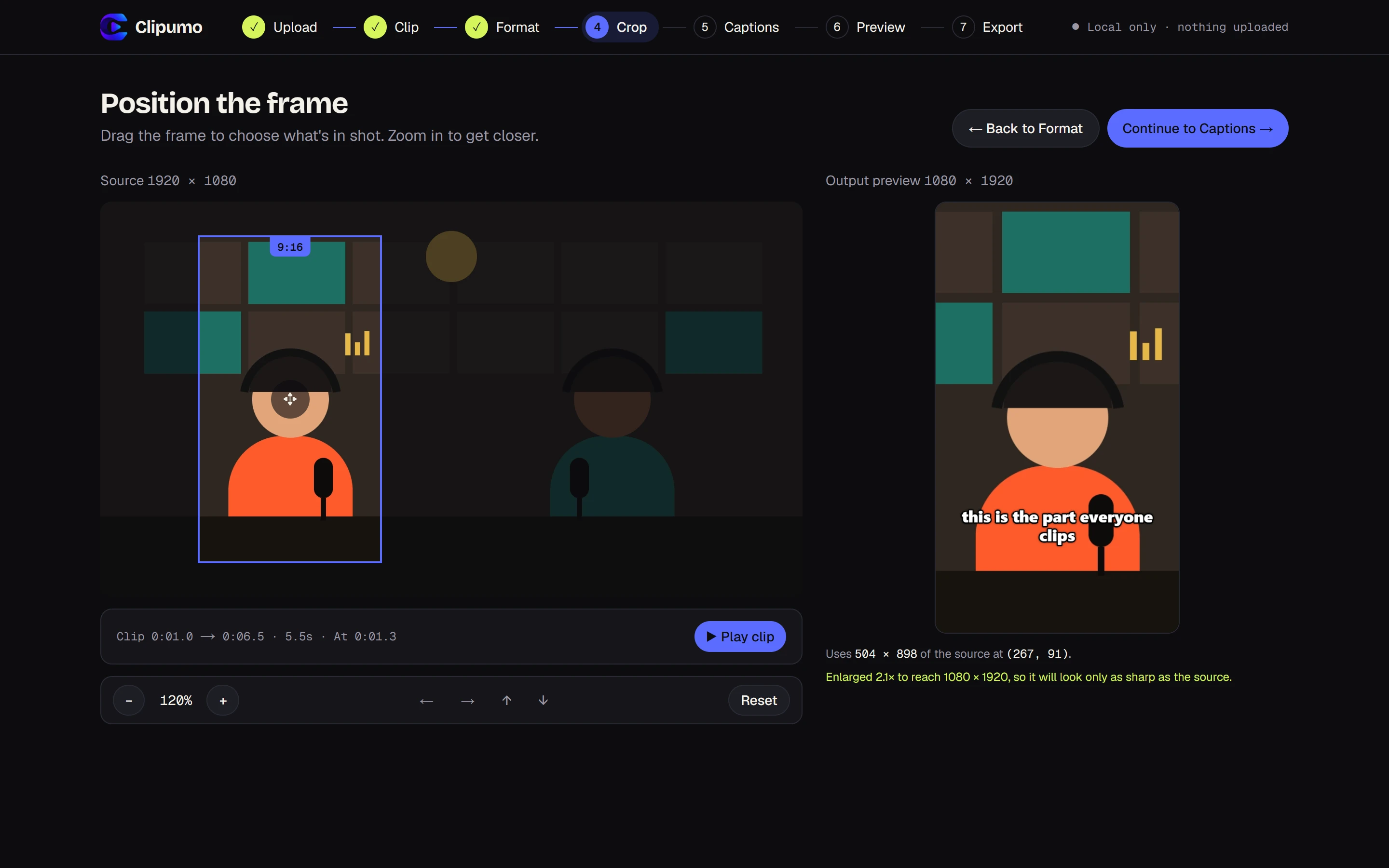
Pick 9:16, 1:1 or 16:9, then drag and zoom the frame onto the person talking.
 03
03Captions, if you want
Bring an SRT or VTT file, type them in, or skip. They're burned into the video.
 04
04Preview, then export
See exactly what you'll get, then download a 1080p MP4 rendered in your browser.
Your video never leaves your computer.
Cutting, framing, captions and the final export all happen in your browser. We don't upload or store your video.
- No uploads
- No account
- No watermark
Made for where you post.
One editor, lots of jobs.
- YouTube Shorts makerMake YouTube Shorts from your long videosRead more →
- Instagram Reels makerTurn long videos into Instagram ReelsRead more →
- TikTok video cropperCrop any video to TikTok's vertical formatRead more →
- Podcast clip makerTurn podcast episodes into short clipsRead more →
- Vertical video converterCrop video to 9:16 onlineRead more →
- Burn in subtitlesAdd subtitles to a video, burned inRead more →
- Private video trimmerTrim a video without uploading itRead more →
Guides: How to turn a podcast episode into YouTube Shorts · How to burn subtitles into a video for free
Questions, answered.
Is Clipumo free?
Yes. There's no account, no subscription and no watermark on your exports.
Is my video uploaded anywhere?
No. Your video is opened directly from your device and everything, including the final export, is processed in your browser. We don't upload or store your video.
Do you track me?
We count page views with Vercel Web Analytics, which uses no cookies and doesn't identify you. It only sees which pages are visited, never your videos, file names or captions.
Which video formats can I use?
MP4, MOV, M4V, WebM, MKV and OGV files up to 1.5 GB, as long as your browser can play them. MP4 (H.264) works most reliably.
What sizes can I export?
9:16 (1080 × 1920) for YouTube Shorts, Instagram Reels and TikTok, 1:1 (1080 × 1080) for feed posts, and 16:9 (1920 × 1080). Exports are MP4 files with sound.
Can I add captions?
Yes, optionally. Upload an SRT or VTT subtitle file, type captions yourself, or skip them. Choose from three caption styles; captions are burned into the video.
Which browser do I need?
Editing works in modern browsers. Exporting uses your browser's built-in video encoder, so use a recent version of Chrome or Edge on desktop.
Is there a length limit?
Source videos can be up to 1.5 GB. Because the export is built in your browser's memory, keep clips under about 17 minutes. Shorts are usually much shorter anyway.